

Few games have shaped modern gaming like Minecraft. What began as a one-person project in 2009 is now the best-selling video game of all time, a blocky universe where players mine, build, farm, fight, and survive, entirely on their own terms. On Android, Minecraft Bedrock Edition puts that full universe in your pocket, with touch controls, cross-play, and the same endless worlds as every other platform.
Because the game is so popular, searches for Minecraft APK are enormous, and so is the number of shady download pages around it. This guide covers what the Android version actually is, the latest version details, its key features, the real risks of third-party APK files, and the safe way to play.
What Is Minecraft?
Minecraft is a sandbox survival game developed by Mojang Studios (owned by Microsoft). Players spawn in a procedurally generated 3D world made of blocks and decide what to do: gather resources by day, survive monsters by night, build anything from a dirt hut to a working computer. Two core modes define it: Survival, where hunger and enemies are real threats, and Creative, with unlimited resources and flight.
The Android version runs on the Bedrock engine, which means full cross-play: a phone player can join the same world as friends on PC, Xbox, PlayStation, and Nintendo Switch. It also supports Realms (private always-online servers), the in-game Marketplace for skins and texture packs, and parental controls for younger players.
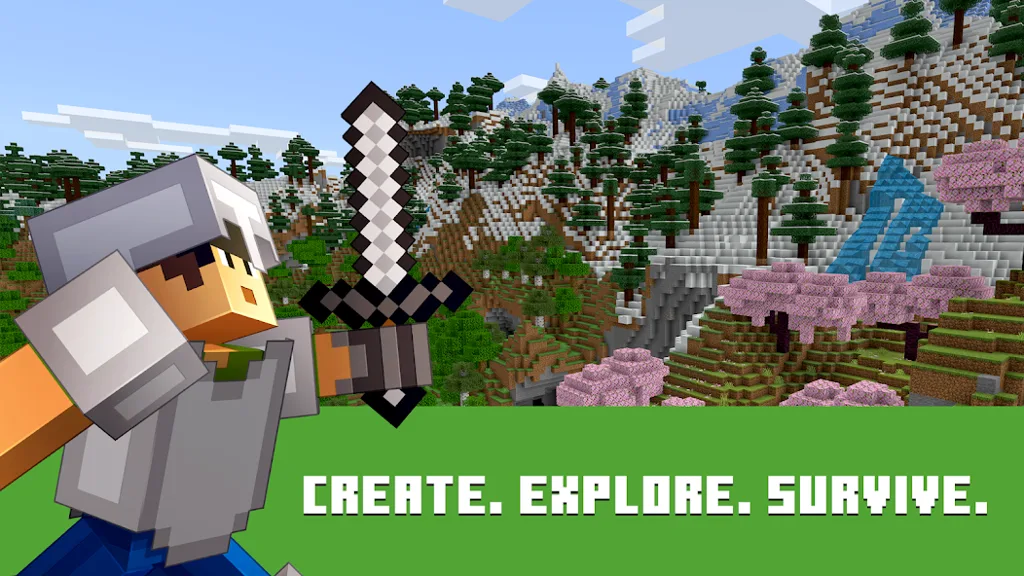
Official screenshot from the app’s Google Play listing.
Key Features of Minecraft on Android
Survival Mode With Real Stakes
Survival is the mode the game was built around. You start with nothing, punch wood, build shelter before dark, and work your way from stone tools to diamond gear and a trip to the End. Hunger, health and hostile mobs keep constant pressure on every plan, which is why a world you survived in feels earned in a way a spawned world never does. On Android the full survival loop is identical to PC and console, including high stakes play for those who want it.
Creative Mode and Unlimited Building
Creative mode removes every limit survival imposes. Health and hunger disappear, flight is a double tap away, and the entire block catalogue sits in your inventory from the first second. It turns the game into a pure building studio, the mode behind the castles, cities and working machines that fill YouTube. For younger players it is also the gentlest way into the game: no deaths, no pressure, just building at their own pace on the phone or tablet they already have.
Multiplayer, Realms and Cross Platform Play
The Android version is fully cross platform. A player on a phone can join friends on Xbox, PlayStation, Switch and PC in the same world, and Realms adds a private always online server that keeps the world available even when the host is offline. Public servers add mini games, economies and communities that Mojang never built itself. This social layer is a large part of why the game never ages: the world matters because other people are in it with you.
Marketplace, Add Ons and Skins
The Marketplace is the game’s built in store for community made content: skin packs, texture packs, adventure maps and full add ons that change how the game plays. Add ons can introduce new mobs, machines and dimensions, which keeps a years old game feeling new. Purchases use Minecoins and carry across devices signed into the same account. It is also the safe route to new content, since everything is reviewed and delivered through the game itself rather than random files from the internet.
Redstone and Automation
Redstone is the game’s electrical system, and it turns builders into engineers. Wires, switches, pistons and observers combine into automatic farms, hidden doors, sorting systems and, famously, working computers built block by block. The Android version supports the full redstone ruleset, so anything designed on PC works in your pocket world. Learning redstone teaches real logic, inputs, outputs and timing, which is why educators use this game in classrooms around the world.
Regular Updates With New Biomes and Mobs
Mojang updates the game continuously, and the Android version receives the same headline content as every other platform: new biomes, mobs, blocks and mechanics in named updates that reshape how worlds generate. Every update is free once you own the game. That long support arc is the honest answer to the free APK temptation: the paid game keeps growing for years, while a frozen pirated copy stops on day one.
- Infinite procedurally generated worlds: no two maps are ever the same, with biomes from deserts to deep-dark cities.
- Survival and Creative modes: harsh survival with hunger and mobs, or godlike creative building.
- Cross-platform multiplayer: play with friends on console, PC, and mobile in the same world.
- Realms and servers: private servers for friends, plus huge public minigame servers.
- Marketplace and add-ons: community-made skins, texture packs, and adventure maps.
- Regular updates: Mojang ships new blocks, mobs, and biomes several times a year; the 2026 updates added new forest biomes and building blocks.
Pros and Cons of Minecraft on Android
Pros
- The complete Minecraft experience on your phone, identical in content to PC and console
- Cross platform multiplayer with friends on any device
- Years of free updates with new biomes, mobs and mechanics
- Marketplace and add ons keep the game fresh indefinitely
- One purchase, no subscription needed to play
Cons
- It is a paid game, with no official free version beyond the trial
- Large install size for phones with limited storage
- Marketplace extras cost extra Minecoins
- Touch controls take practice compared to mouse and keyboard
The Real Risks of Third-Party Minecraft APKs
Minecraft’s popularity makes it one of the most faked APKs on the internet. Here is what the download pages never mention:
Most “free” copies are piracy plus malware
Because the official game costs money, free APK sites strip the license check, and frequently bundle in adware, spyware, or trojans alongside the game. They are among the most common malware vectors on Android precisely because demand for a free copy is so high.
Broken signatures and no updates
A repackaged APK no longer carries Mojang’s cryptographic signature, so you lose the one guarantee that the file is genuine. These copies also freeze at one version: no new biomes, no bug fixes, and eventually no multiplayer, since servers require current clients.
Account danger
The game now uses Microsoft accounts. Logging into a Microsoft account inside a modified app is one of the riskiest things you can do on a phone, a malicious build can harvest the session and take the whole account with it.
Safe Alternatives
- Buy the official game on Google Play. One purchase, permanent license, automatic updates, safe multiplayer. It regularly goes on sale.
- Xbox Game Pass. Minecraft is included with Game Pass, which is often cheaper than buying outright if you play other games too.
- Minecraft Trial. Mojang offers an official free trial on the Play Store, the legitimate way to test the game before paying.
Conclusion
Minecraft on Android is the complete, cross-play Bedrock experience, infinite worlds, survival and creative modes, and multiplayer with every platform. But the game’s paid status means nearly every “free APK” is piracy wrapped around potential malware. The official Play Store copy, the trial, or Game Pass gets you the real game with updates and safe multiplayer. For a game you’ll play for hundreds of hours, that is the only version worth having.
Related guide: BitLife MOD APK Download Latest Version (2026)
Frequently Asked Questions
Is there an official free Minecraft APK?
No. The full game is paid on the Play Store. Only the official trial is free, and it is time/world-limited by design.
What is the latest Minecraft Android version?
As of October 2026, v1.26.52.3 is the current Bedrock release (around 350 MB, Android 8.0+), rated 4.5+ from millions of reviews.
Can Android players join PC and console friends?
Yes, Bedrock cross-play covers Android, iOS, Windows, Xbox, PlayStation, and Switch in the same worlds and Realms.
Why do free copies often contain viruses?
Attackers know millions of players, many of them young, search for a free copy. That demand makes the game one of the most abused names in Android malware distribution.
Does Minecraft work offline on Android?
Yes. Single-player survival and creative worlds work fully offline; only multiplayer, Realms, and the Marketplace need a connection.